

For manual or non-Lago-native payment methods, you can record payments via the API or UI. Both partial and full payments can be recorded; however, an invoice’s payment status will only update to succeeded when it is fully settled.Documentation Index
Fetch the complete documentation index at: https://lago-docs-dependabot-npm-and-yarn-axios-1-16-1.mintlify.app/llms.txt
Use this file to discover all available pages before exploring further.
- Dashboard
- API
To record a payment: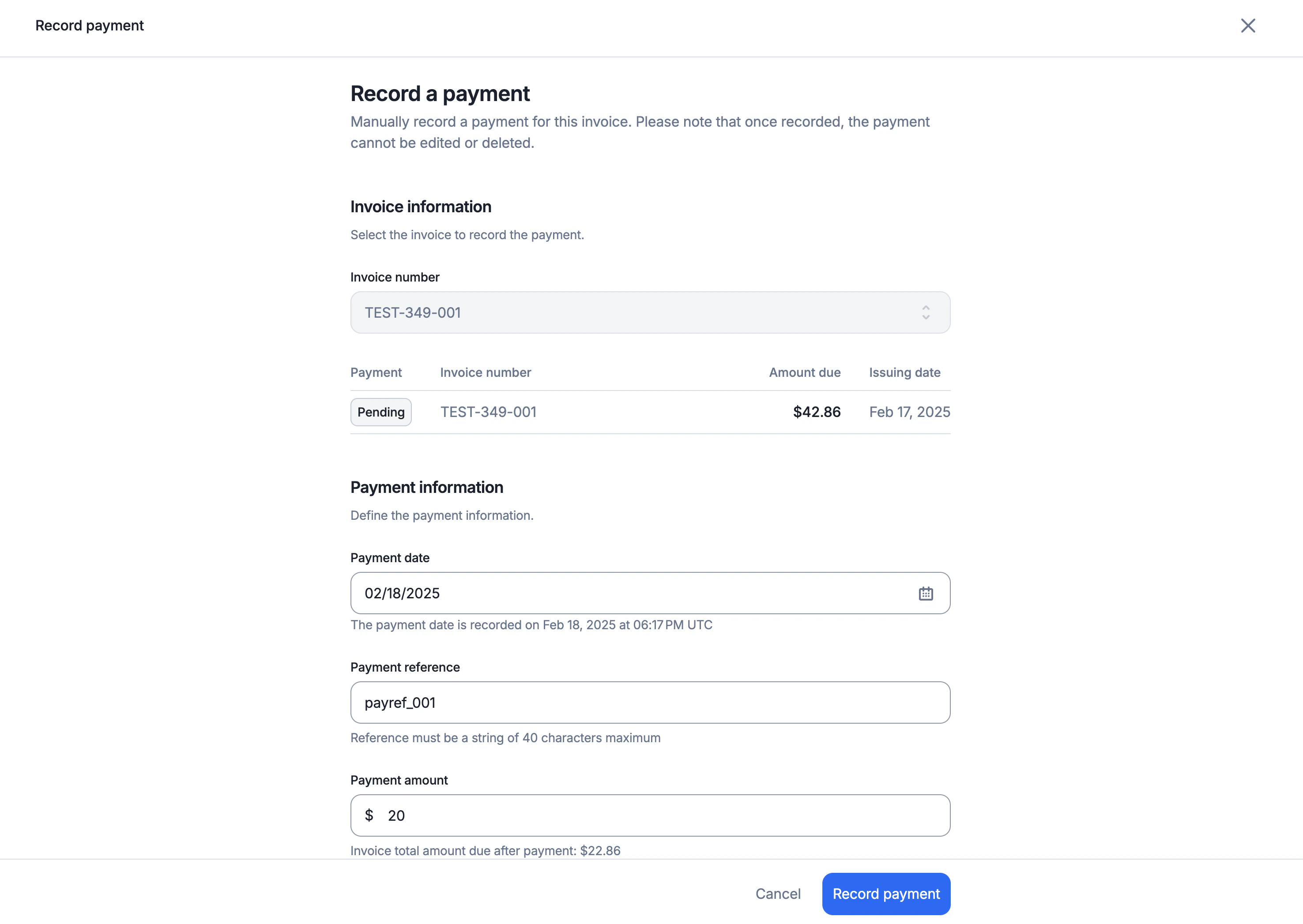
- Navigate to an unpaid invoice;
- Click the “Record Payment” button;
- Select the payment date;
- Enter the payment reference;
- Specify the payment amount (partial or full); and
- Confirm to record the payment.